# One product photo, six scenes: which models keep the label
> Six image models put the same serum bottle into the same spa scene for 1 to 3 credits each. Which kept the label, which followed the brief, what it cost.
Published 2026-11-05 by Photoproduct.io. Tags: product-photos, images, comparison. Canonical: https://photoproduct.io/blog/ai-product-photos-one-photo-six-scenes
A shop needs more than the plain photo a product arrives with. It needs the product in a setting: on a bathroom shelf for the listing, by a pool for the summer campaign, on a breakfast table for social. The question is not whether AI can put a product into a scene; it is which model does it without quietly changing the product.
So we gave six image models the same photo and the same brief, and looked closely at what came back. Every image below is the real, unretouched output. Together they cost 8 credits.
## The starting photo
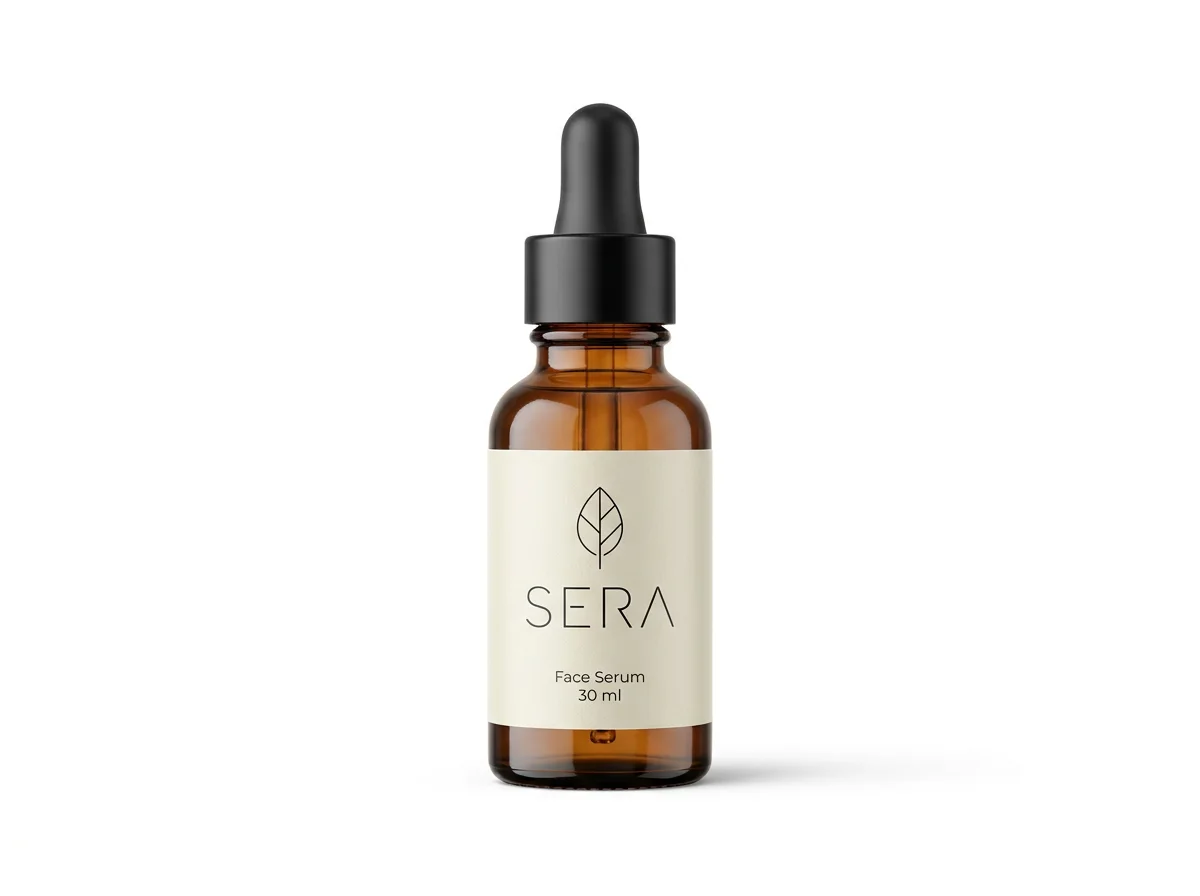
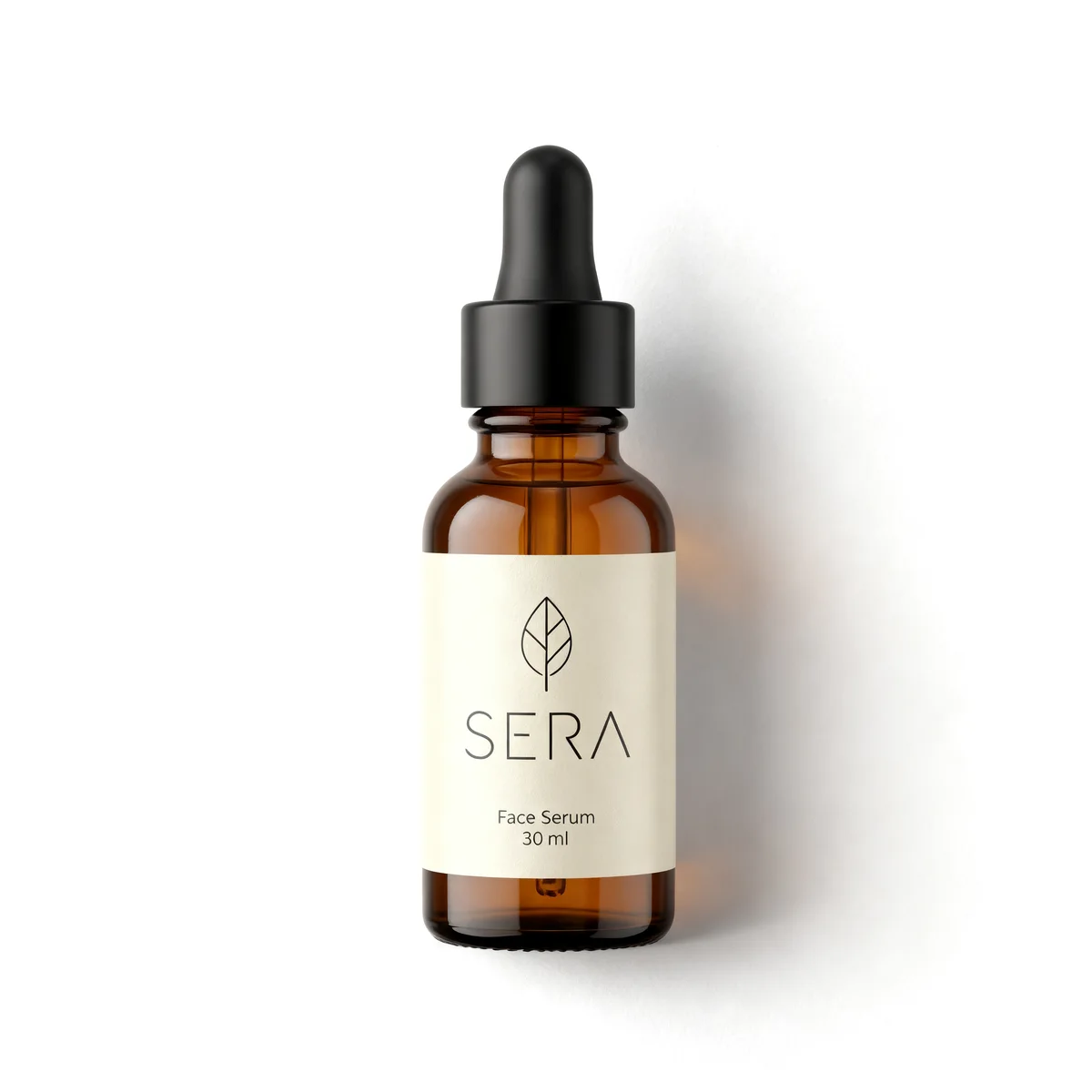
This is the kind of neutral packshot a supplier sends: white background, even light, nothing else in frame. We generated it for this test rather than photographing one, and chose a product that is hard to get right: amber glass that reflects, a black dropper, and a label with a word, a line drawing and small print. Labels are where scene models slip: they redraw the product and the text comes back slightly wrong.
Every model got this photo by the `job_ref` of the run that made it, and this brief:
> a wet slab of pale grey stone beside a small spa pool, soft morning window light from the left, a sprig of eucalyptus and two smooth pebbles next to the bottle, calm premium skincare mood, shallow depth of field
The general-purpose editors also got one more sentence, because they redraw everything: *Do not change the bottle, the label or any of its text.*
## Two kinds of model
The six fall into two groups, and the difference matters more than any single result.
**Product models** cut the product out of your photo and build a new image around it. Your pixels stay your pixels. `bria/product-shot`, `bria/replace-background` and `image-apps-v2/product-photography` work this way.
**General editors** redraw the whole picture, product included, guided by your photo. They can relight the product so it sits in the scene, but they can also change it. `flux-2-pro/edit`, `nano-banana-pro/edit` and `bytedance/seedream/v4.5/edit` work this way.
## The results
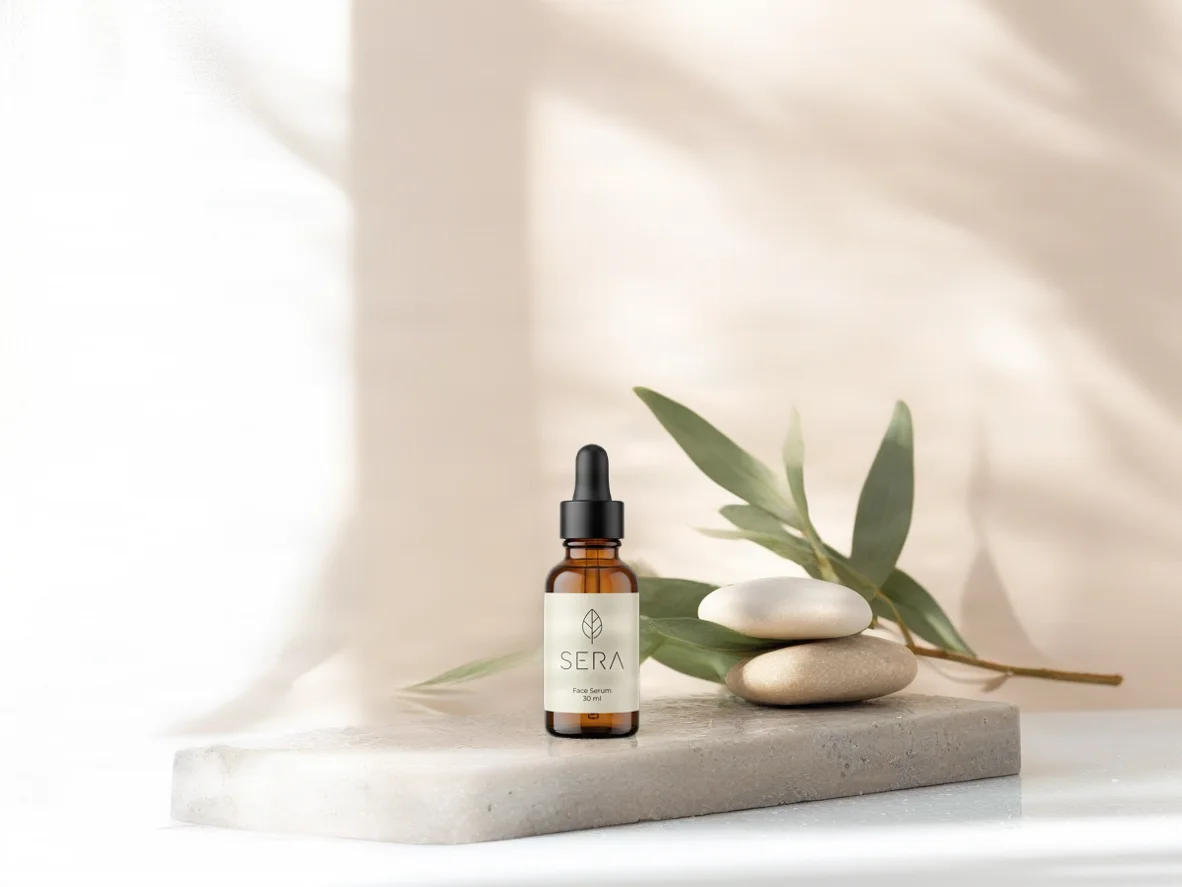
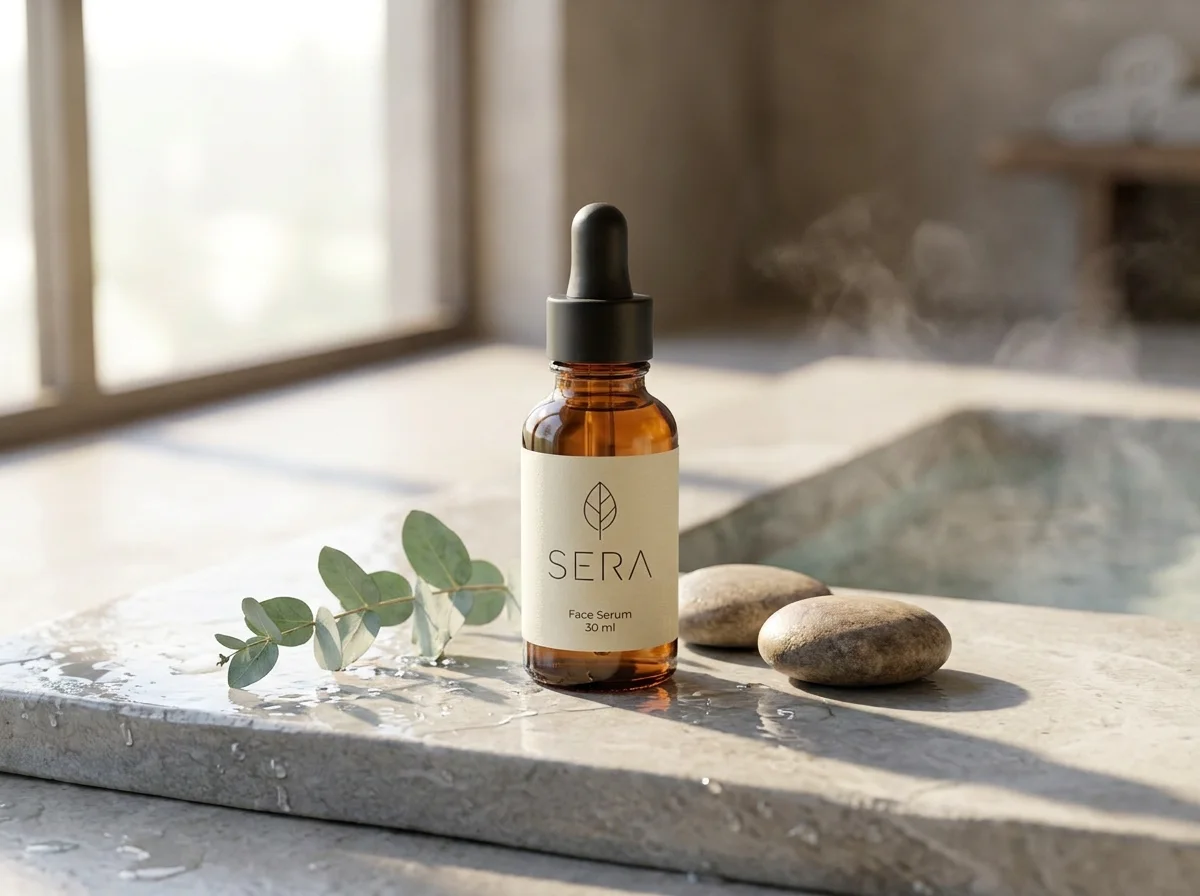
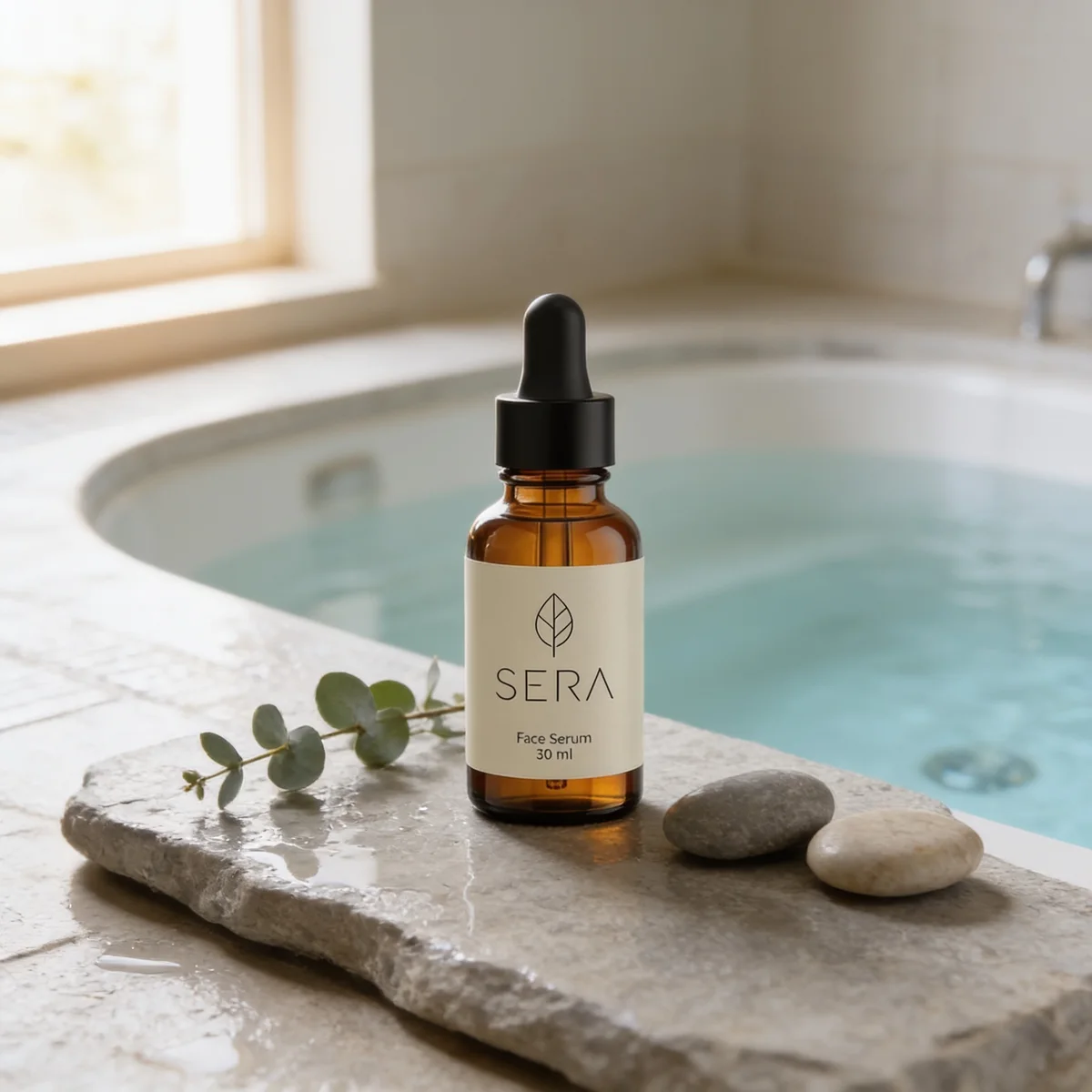
bria/product-shot (left) and bria/replace-background (right), 1 credit each.
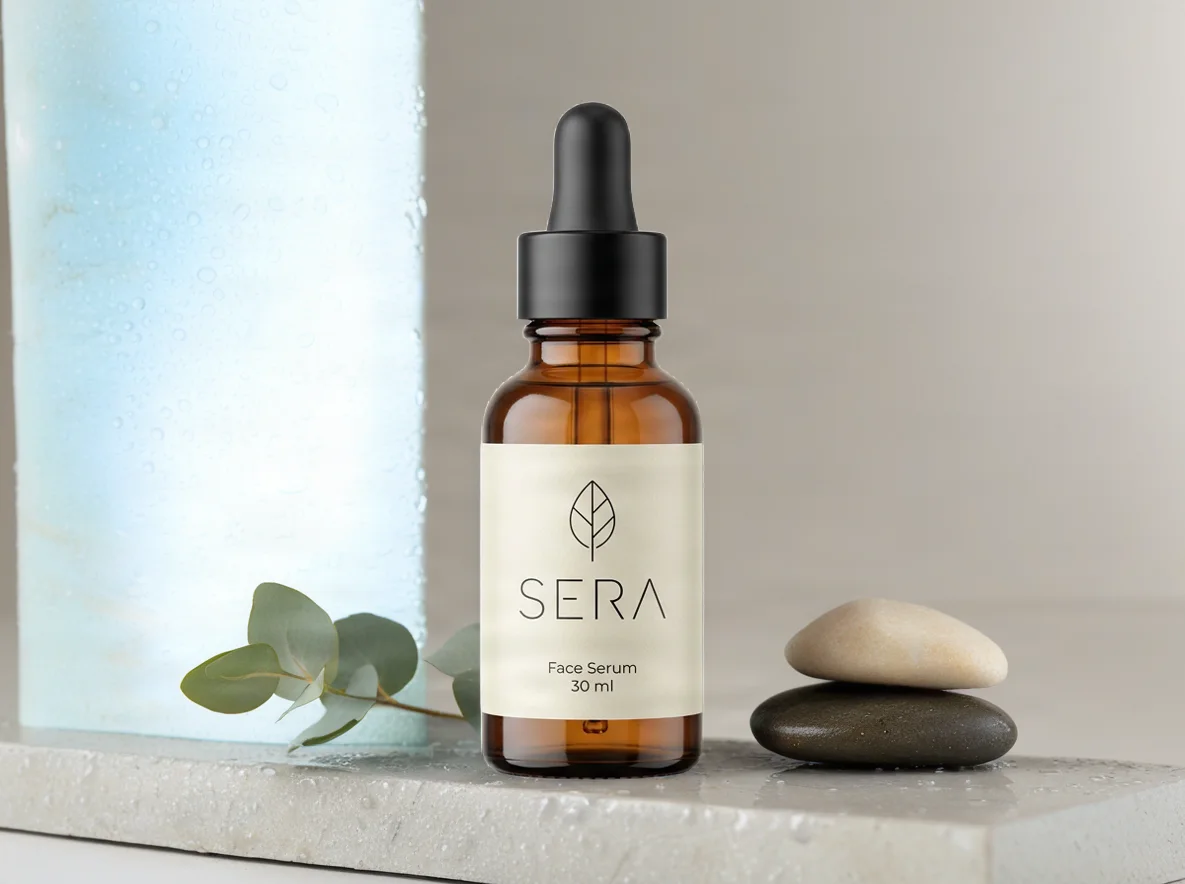
image-apps-v2/product-photography (left) and flux-2-pro/edit (right), 1 credit each.
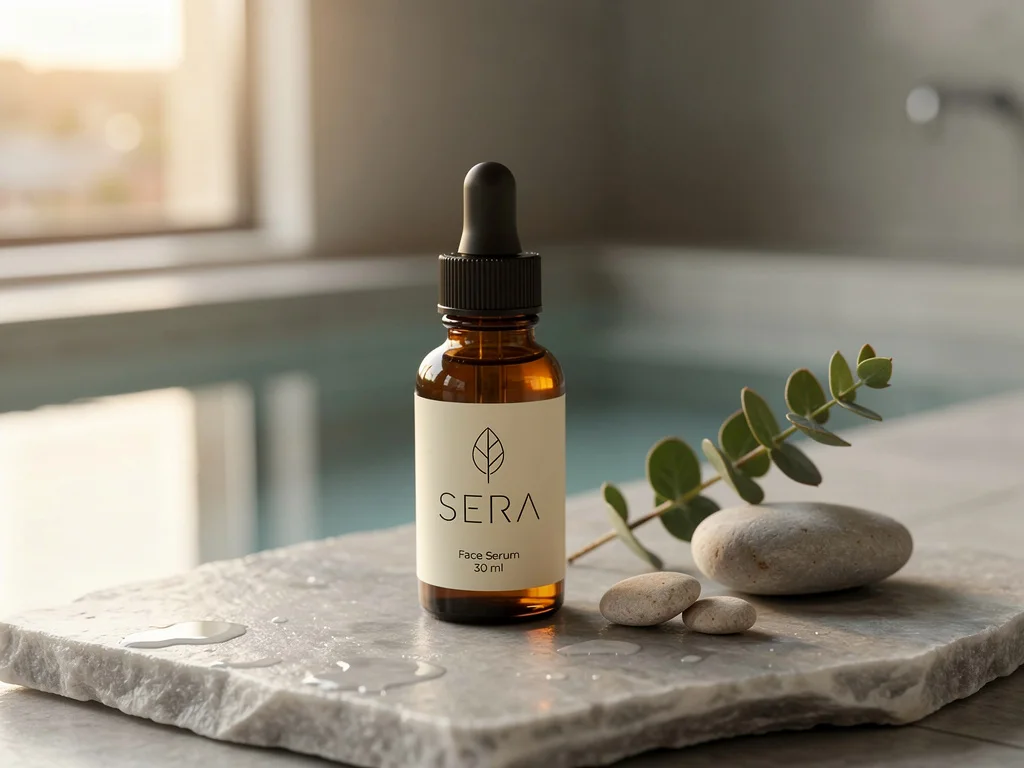
nano-banana-pro/edit (left, 3 credits) and seedream/v4.5/edit (right, 1 credit).
| Model | Kind | Credits | Label | Brief |
|---|---|---|---|---|
| Bria Product Shot | product | 1 | exact | partly: no pool, product small |
| Bria Replace Background | product | 1 | exact | partly: no pool |
| Product Photography | product | 1 | exact | no: takes no brief |
| FLUX.2 Pro Edit | editor | 1 | redrawn, intact | yes |
| Nano Banana Pro Edit | editor | 3 | redrawn, intact | yes, the strongest scene |
| Seedream 4.5 Edit | editor | 1 | redrawn, intact | yes |
*Exact* means the original pixels; *redrawn, intact* means the model drew the label again and got it right. Sizes as delivered: the two Bria models about 1180 × 885, `flux-2-pro/edit` 1024 × 768, `nano-banana-pro/edit` 1200 × 896, Seedream 2048 × 2048 and `image-apps-v2/product-photography` 4096 × 4096 (shown here at 1200).
## What the close-up shows
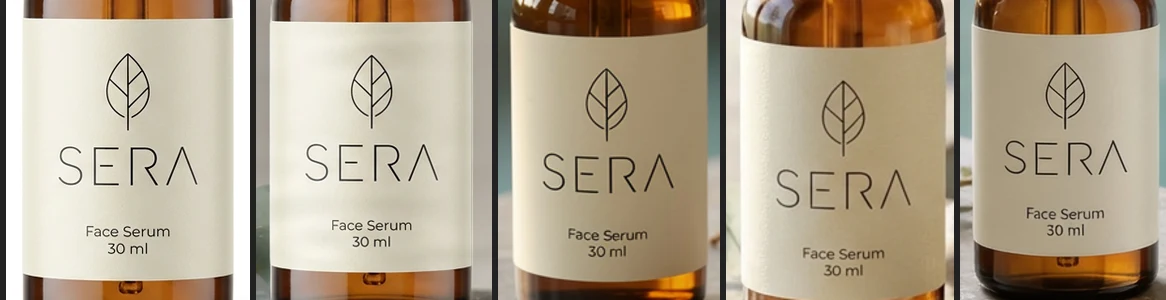
We expected the general editors to fumble the label. None did. *SERA*, the leaf mark and the small *Face Serum 30 ml* survived in all three, with differences you only see side by side: the leaf drawn a little smaller here, the paper given a slight texture there.
That is a result for this label, not a guarantee. A short word in large letters is the easy case. Ingredient lists, barcodes, a logo with fine detail or a second language are where a redrawn label starts to drift. The product models can't drift, because they never redraw your product.
## Which one to use
- **The label must be exactly right, every time:** `bria/replace-background`. It kept the original bottle pixel for pixel and built a believable scene around it. It ignored the pool, so describe the setting it should invent rather than one specific element.
- **The scene matters most:** `nano-banana-pro/edit`. It followed every part of the brief and added the steam on its own. At 3 credits it was the most expensive here, and still costs $0.30 an image.
- **The best value:** `flux-2-pro/edit` and `seedream/v4.5/edit` both delivered the full scene with an intact label for 1 credit. Seedream returns a square image unless you set a size.
- **Not for scenes:** `image-apps-v2/product-photography` takes no description at all and returned a cleaned-up studio shot. Useful to tidy a rough phone photo before anything else, not to place a product somewhere.
- **`bria/product-shot`** placed the bottle small in the lower centre, which is its default placement. Its placement and size options fix that; we left the defaults on purpose.
## From photo to motion
A still is enough for a listing; social wants movement. `pixelcut/looping-video` takes one product image and makes a loop with a locked camera, so the product stays exactly where it is and only the setting moves. We gave it the `nano-banana-pro` scene:
5 seconds, 1080p, 8 credits. The steam drifts, the bottle does not move.
## What this cost
| Step | Credits |
|---|---|
| The starting packshot | 3 |
| Six scenes | 8 |
| The loop | 8 |
| **Total** | **19** |
Nineteen credits is $1.90 at the $0.10 per credit that runs are quoted in, for a product photo, six scenes to choose from and a short video.
## Let an agent do it
Every call above is one MCP tool call, so an agent can run the whole comparison for your own product. Connect it with [the setup guide](https://photoproduct.io/blog/mcp-image-video-generation-for-ai-agents), then give it your photo and something like: *make three scenes of this product for my shop with a model that keeps the label exactly, and one with a model that follows my brief closely; show me both.*
To have it happen every week without asking, see [the scheduled agent](https://photoproduct.io/blog/scheduled-ai-agent-weekly-product-content), which uses this same bottle.