workflow · characters · video
From one face to a talking product video, in five calls
An AI agent built a consistent character over MCP and put her in a talking product video. Five chained calls, the real prompts, 29 credits, one retake.
· 6 min read
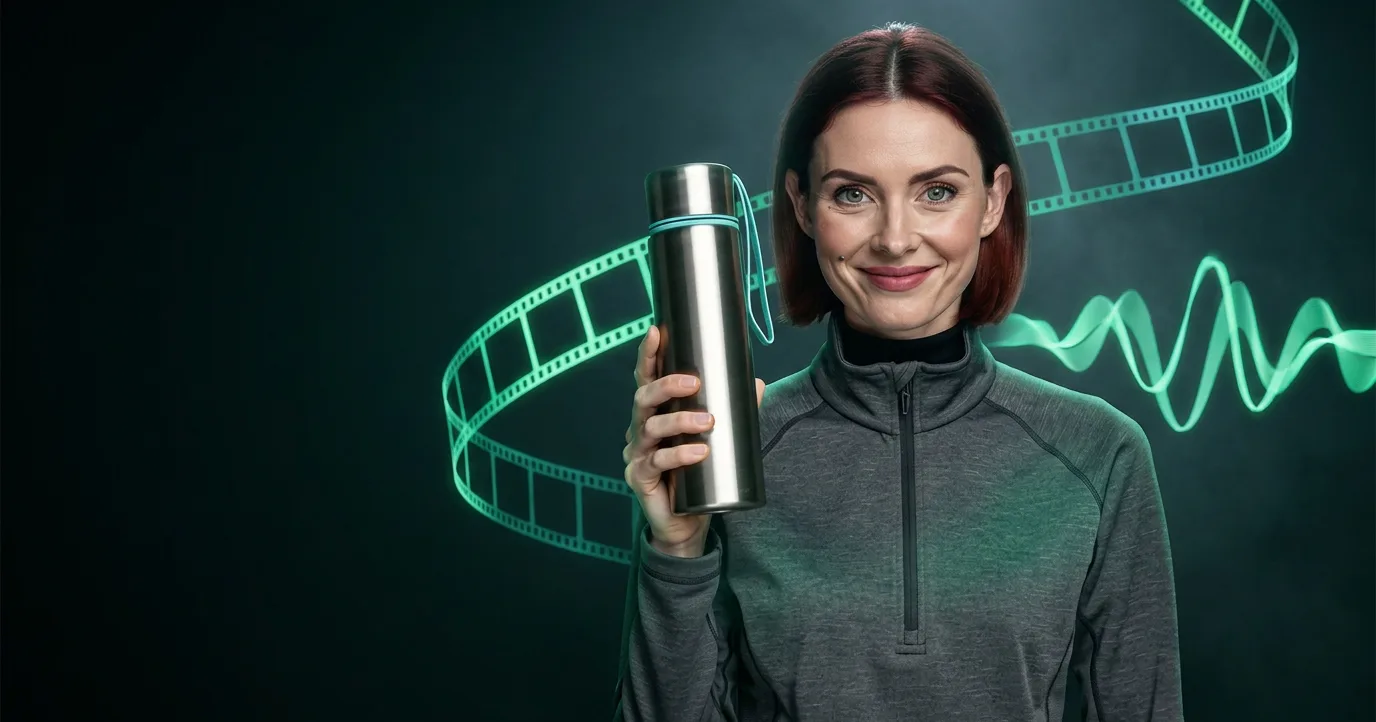
The hard part of AI video isn't one good clip. It's the second clip, with the same person in it. This post follows one run in which an agent, connected to Photoproduct over MCP, wrote a woman into existence, dressed her, built her reference sheet, made her dance and speak, and finally put a product in her hand and had her talk about it. The same face comes out of every step.
Everything here is real output, recorded in October 2026. The prompts are quoted as sent, shortened where marked with "…".
The chain at a glance
| Step | What it makes | Model | Input | Credits |
|---|---|---|---|---|
| 1 | Face lock | flux-2-pro |
a written description | 1 |
| 2 | Outfit plate | flux-2-pro/edit |
step 1 | 1 |
| 3 | Character sheet | flux-2-pro/edit |
step 2 | 1 |
| 4 | Dancing, speaking video | minimax/h3/image-to-video |
step 2 | 13 |
| 5 | Product video | minimax/h3/reference-to-video |
steps 1 and 2, a product photo | 13 |
| Total | 29 |
Twenty-nine credits is $2.90 at the $0.10 per credit that runs are quoted in. Each step after the first points at earlier steps by their job_ref instead of a file, so nothing was downloaded and uploaded again along the way.
Step 1: lock the face
A face lock is a plain reference portrait whose only job is identity. Every later step points back at it, so it has to carry the face and nothing else. The prompt describes the person precisely, down to one identifying mark, and then takes away everything a later model could copy by mistake:
A clean cinema-character-reference 3:4 headshot … A Northern European woman in her early thirties … Dark auburn hair in a deep copper-brown, cut to a blunt chin-length bob with a centre parting … Wide-set grey-green eyes … A small flat beauty mark below the outer corner of the left eye and no other facial markings … BACKDROP: a single flat 18% neutral gray field, one uniform value at every pixel …
Two choices do most of the work. The beauty mark is a marker you can check in every later frame. The flat gray field and shadowless light leave later models no room, no light direction and no shadows to inherit: they take the face and the hair, and then whatever scene you ask for next.
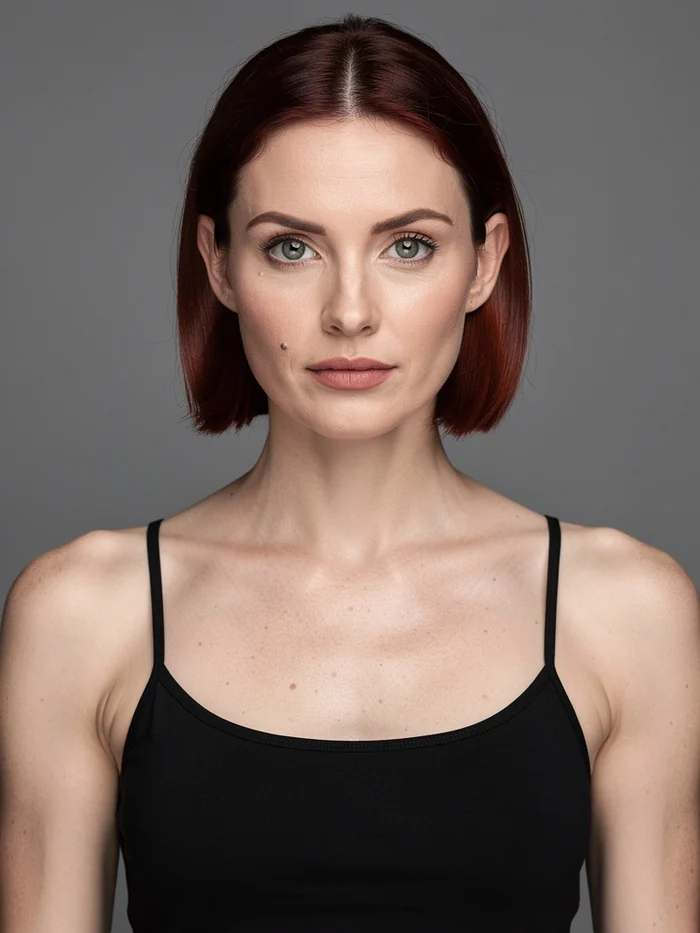
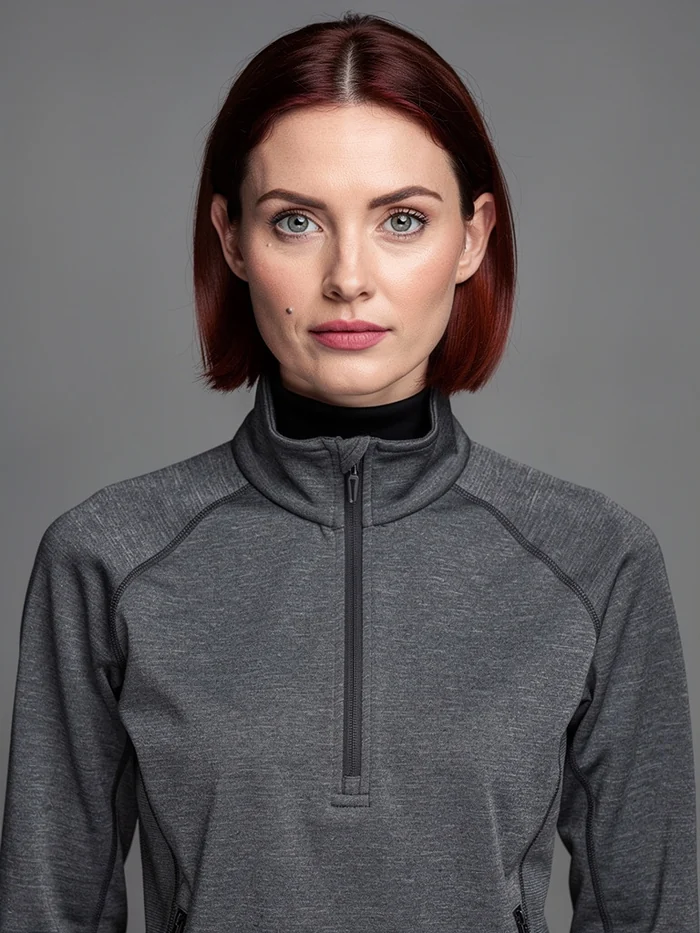
Step 1, the face lock, and step 2, the outfit plate. One credit each.
Step 2: change the clothes, not the person
The second call is an edit. Instead of an image file, it passes the first job's reference:
{
  "model": "flux-2-pro/edit",
  "params": {
    "image_urls": ["job_NeOlT6PjpchlYwtG1KvV5w"],
    "image_size": "portrait_4_3",
    "prompt": "Keep this exact person: same face, same bone structure, same grey-green eyes, same dark auburn chin-length bob, same skin tone and texture, same beauty mark. Change only the wardrobe and the framing. She now wears a charcoal grey technical shell jacket with a high zipped collar … Same flat 18% neutral gray field behind her …"
  }
}
The prompt names everything that must not change before the one thing that should. Background and light stay as flat as in the lock, so this plate can serve as a reference itself. It does, twice.
Step 3: a character sheet
The third call turns the outfit plate into a three-panel sheet: the jacket on an invisible mannequin from the front and from the back, and a tight portrait. A sheet like this shows a video model the garment from angles the plate doesn't.
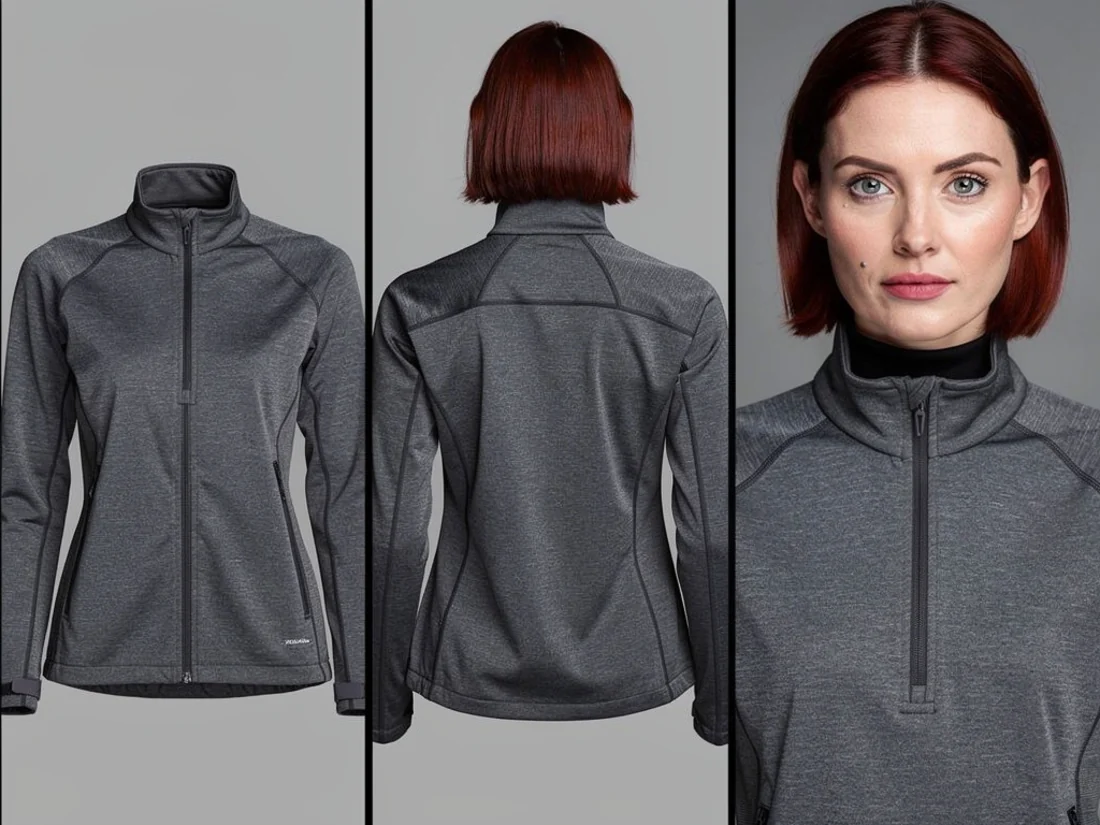
It isn't perfect. The prompt asked for the back panel to show the jacket with no person inside, and the model drew the back of her head anyway. For a reference whose job is the back of the jacket, it was good enough to keep. In a production pipeline it would be a retake.
Step 4: she moves, and she speaks
The video step runs on minimax/h3/image-to-video, 5 seconds at 2K, starting from the outfit plate. The prompt gives the action second by second, puts the spoken line in quotes and locks the camera:
She dances and turns, loose and confident, while speaking to camera. She says: "Photoproduct. Twelve hundred models, one endpoint." 0-1s: she rocks her weight onto one hip … 1-3s: she turns smoothly away to her right through a full half turn so her back comes to camera … 3-4s: she turns back to face camera, the face arriving cleanly into frame … CAMERA: locked off on a tripod. … No push, no pull, no dolly, no zoom …
Two things in this clip are why it exists. The half turn puts the back of her head to the camera and then brings the face back: identity has to survive the moment it can't be seen, and here it does. And the voice isn't dubbed. The video model generated the speech from the quoted line together with the motion, in the same call.
Step 5: now she holds your product
The last step is the one a shop owner cares about. minimax/h3/reference-to-video takes several reference images instead of a single first frame. This run gave it the face lock, the outfit plate and a plain photo of a steel bottle, and asked for the same woman holding the bottle and saying one line about it. One call, 5 seconds at 2K, 13 credits.
The first take went wrong in an instructive way. The brand name was written closed up as one word, and the model didn't know it, so it split the word into something it did recognise and kept talking: "Photo Product, AI product, can make your product shine." The retake fixed the line from three directions:
- the brand written as two separate words, with an explicit break between them;
- the line fixed at exactly six words, spoken once;
- an explicit refusal of the letters A I and of the words artificial and intelligence.
The prompt also maps where her lips close (the P of Product, the M of makes, the P of the second product) and ends the speech at 3.5 seconds, so the clip finishes on a held smile instead of leaving the model room to improvise. The line is now "Photo Product makes your product shine."
A soundtrack, if you want one
Music is a separate call. stable-audio-25/text-to-audio made a 20-second instrumental bed for 4 credits:
Restrained instrumental bed for a product film. Slow warm analog synth pad, soft muted plucked arpeggio, low sustained sub-bass, sparse rim-click pulse. Calm, unhurried, confident, slightly cold and technical. Instrumental only, no vocals.
What it cost
The five steps as shown cost 29 credits. The soundtrack added 4. The first take of the product clip was a completed run, so it was billed like any other: 13 more. That makes 46 credits, $4.60, for a consistent character, two finished clips and a soundtrack. A run that fails costs nothing: credits are reserved when a job starts and released if it fails.
Run it yourself
The prompts above follow the grammar that the prompt_guide tool hands an agent. Ask your agent to call it before each kind of step:
face_lockfor step 1,character_outfitfor step 2,character_sheetfor step 3,video_from_imagefor the video steps.
Then describe your own character and product, and ask the agent to chain each step to the one before it by its job_ref. If your agent isn't connected yet, the setup guide walks through it in five steps.