automation · agents · mcp
Let an agent make your product content every week
A Claude Code agent on a weekly timer makes three product scenes, a clip and captions over MCP. The real run: what it chose, what it cost, what it missed.
· 8 min read

Fresh product content every week is the kind of job that is easy to describe and tedious to do. So we handed it to an agent: once a week, without anyone at the keyboard, it takes one product photo and a theme, makes three scenes and a short clip with Photoproduct's MCP tools, writes the captions and leaves a report.
This post has the three files that set it up and the record of one real run: every choice the agent made, what it cost, one problem it caught on its own and one it could not see.
What you need
- Claude Code, which can run an agent without a terminal session:
claude -ptakes a prompt, works until it is done and exits. - The Photoproduct MCP server added at user scope, so the agent can use it from any folder. The setup guide covers it in one command.
- A product photo at a URL the agent can pass on. We used the serum bottle from the product photo test.
- A machine that is on at the scheduled time: a server, a home box, a VM.
The brief: weekly-prompt.md
The agent gets the same brief every week. It names the product, the theme, the budget and the steps, and it tells the agent to use the house grammar before it writes a single prompt.
You make this week's social media content for one product, using the photoproduct MCP tools.

Product: SERA Face Serum, a 30 ml amber glass dropper bottle with a cream label.
Product photo: https://photoproduct.io/api/public/mcp/job_nnY-eOfPzZypnVU4vDsMrw/media_3b4252200c253cbd.png
This week's theme: a calm autumn morning skincare routine.
Budget: 25 credits for the whole run. Call `balance` before you start and after you finish.

1. Call `prompt_guide` for `scene_plate` and for `video_from_image`, and follow them.
2. Use `list_models` to choose an image-to-image model that keeps a product and its label
   intact (at most 3 credits per image), and an image-to-video model that costs at most
   8 credits for 5 seconds.
3. Make three scene images of the product for this week's theme, each in a different setting.
   The bottle, its label and the label's text must stay exactly as in the product photo.
4. Pick the strongest scene and turn it into one 5-second clip with a slow camera move.
   Pass that image's job_ref to the video model instead of uploading anything.
5. Wait for every job with `get_job`; between checks, pause with `sleep 20`.
   If a run fails, try once more with another model.
6. Write one caption per image: at most 150 characters, no hashtags.
7. Write the report: for every output the model, job_ref, output_url and credits;
   the total credits spent; the captions. Never go over the budget - stop and report instead.
The wrapper: weekly-content.sh
The script runs the agent once, adds today's date, and writes everything the agent does to a log:
#!/usr/bin/env bash
# Runs this week's content agent once. A systemd timer (or cron) calls it.
set -euo pipefail
cd "$(dirname "$0")"
mkdir -p reports logs
today=$(date +%F)

claude -p "$(cat weekly-prompt.md)

Today is $today. Write the report to reports/$today.md." \
  --permission-mode dontAsk \
  --allowedTools "mcp__photoproduct__balance,mcp__photoproduct__list_models,mcp__photoproduct__prompt_guide,mcp__photoproduct__run,mcp__photoproduct__get_job,Write,Bash(sleep *)" \
  --output-format stream-json --verbose \
  > "logs/$today.jsonl"
The flags carry the safety:
--permission-mode dontAskrefuses every tool that is not explicitly allowed, instead of waiting for someone to click allow. Nobody is there to click.--allowedToolsis the whole list of what the agent may do: five Photoproduct tools, writing its report, andsleep. It cannot run other commands, read your files or reach other services.--output-format stream-json --verboserecords every step, which is how the run below could be reconstructed call by call.
The schedule
A systemd user timer starts the script every Monday at 07:00. Put the two files in ~/.config/systemd/user/:
# weekly-content.service
[Unit]
Description=This week's product content, made by an agent

[Service]
Type=oneshot
ExecStart=%h/weekly-content/weekly-content.sh
# weekly-content.timer
[Unit]
Description=Run weekly-content every Monday at 07:00
[Timer]
OnCalendar=Mon *-*-* 07:00
Persistent=true
[Install]
WantedBy=timers.targetThen switch it on, and let it run while you are logged out:
systemctl --user enable --now weekly-content.timer
loginctl enable-linger "$USER"
Persistent=true catches up on a Monday the machine was off. A service starts with a short PATH; if claude lives somewhere like ~/.local/bin, add Environment=PATH=%h/.local/bin:/usr/bin:/bin to the service. With cron instead, the same job is one line: 0 7 * * 1 $HOME/weekly-content/weekly-content.sh.
For this post we ran the script once by hand, in a clean environment with only HOME, PATH, USER and LANG set, the way a timer starts it.
The run
It took 4 minutes 54 seconds: 35 turns and 34 tool calls. In order, the agent:
- checked the balance;
- read the house grammar for
scene_plateandvideo_from_image; - called
list_modelssix times: two budget searches, then the details of four candidates; - made three scenes with
bria/product-shot, 1 credit each; - turned the second scene into a 5-second clip with
kling-video/v2.5-turbo/pro/image-to-video, passing the scene'sjob_ref, for 8 credits; - checked the jobs nine times with a 20-second pause in between;
- checked the balance again and wrote its report.
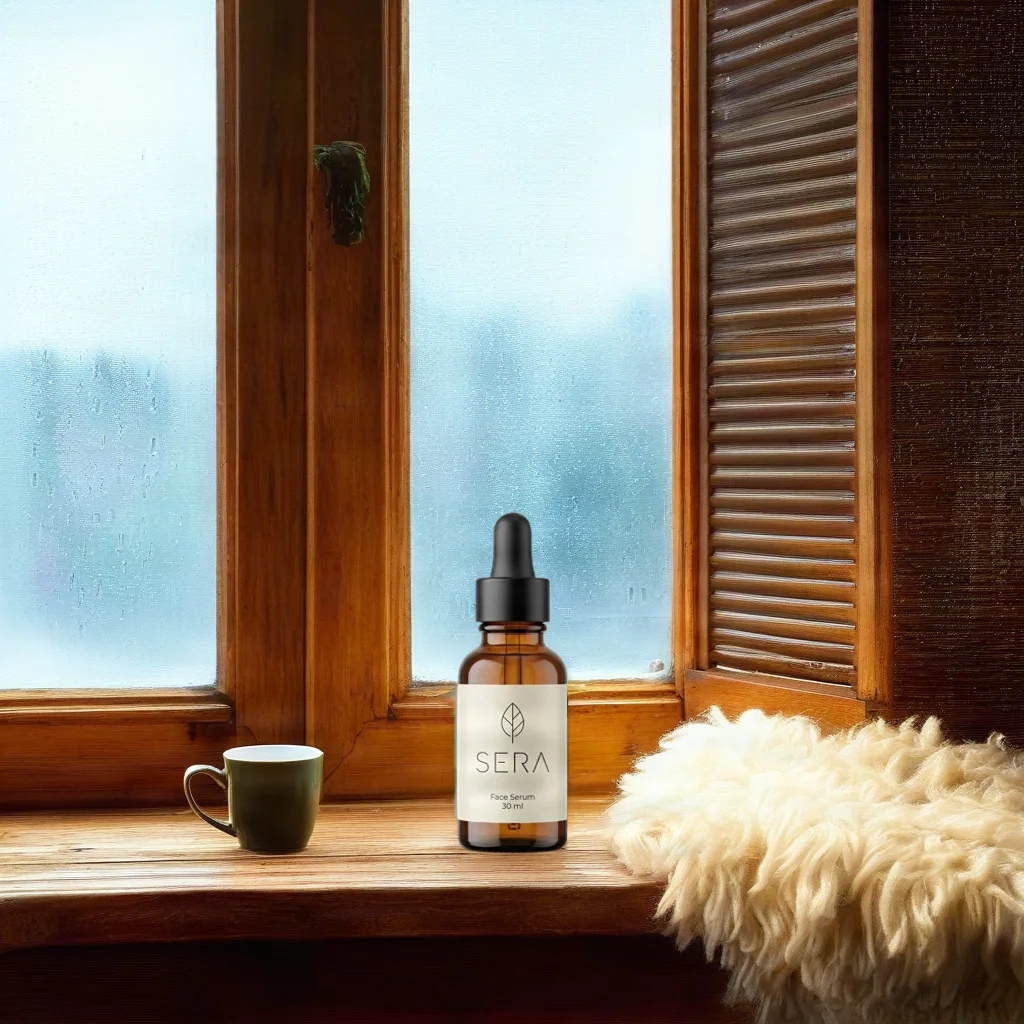
Its choices were sound, and its report explains them. It picked bria/product-shot because that model cuts the real product out of the photo and generates only the new background, so the bottle, label and label text are carried over rather than redrawn. It took the Kling model because prompt_guide recommends it for this job and it fit the budget exactly. It considered the guide's other suggestion, Seedance 2.0, and dropped it because the catalog quoted it at 91 credits (why that number is the price of its longest clip, not of a 5-second one, is in what AI video costs). It also gave every run an idempotency key of its own, such as sera-2026-11-05-scene2-windowsill, so a retry could never be billed twice.
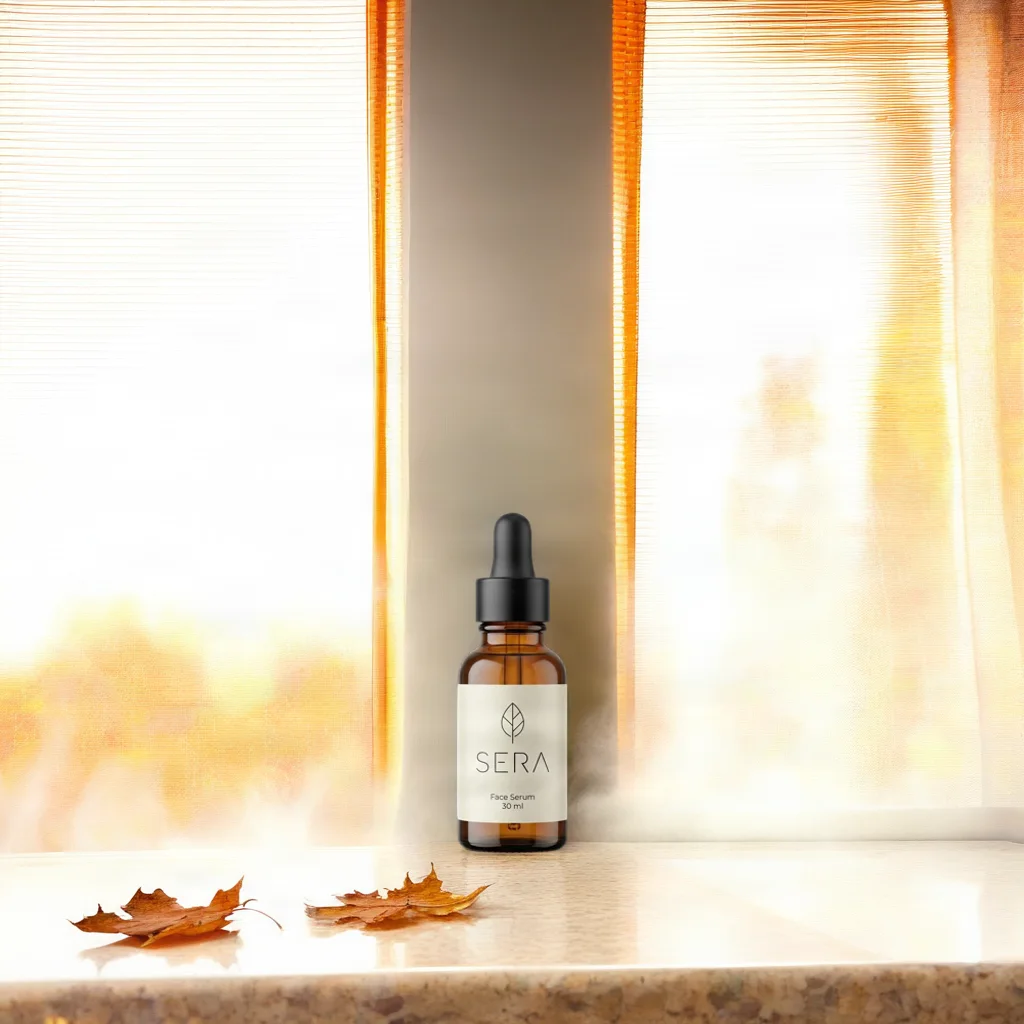
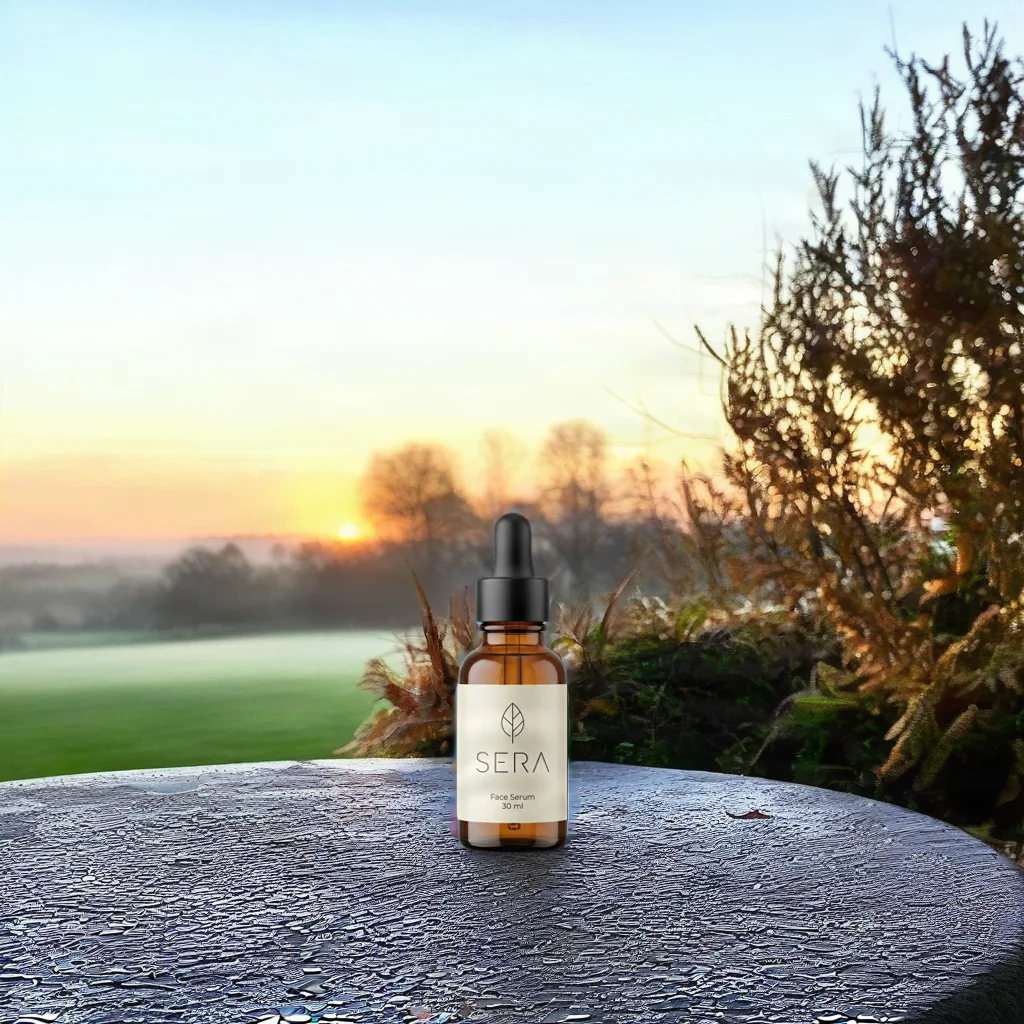
Scenes 1 and 3: a bathroom shelf with fallen leaves, and a terrace table at sunrise.
And the captions it wrote, each under 150 characters:
Steam on the glass, gold leaves outside. A few drops of SERA Face Serum and the autumn morning can take its time.
Rain on the window, tea still warm. A slow autumn morning starts with SERA Face Serum.
First light through the frost. SERA Face Serum, for mornings that begin quietly.
What it cost
The four generations cost 11 credits, $1.10. Claude Code reported $1.30 of model usage for the agent itself, so the thinking cost more than the pictures. For a routine weekly job, a smaller model (--model) or a hard cap on that side (--max-budget-usd) is worth considering.
What it caught
The report ended with a warning we had not asked for:
The balance fell by 8 credits more than these jobs cost. Every
runandget_jobreported a cost (1, 1, 1, 8), and the four add up to 11. This run started no other jobs. The extra 8 equals one more Kling Pro clip, so it may be another job on the same account during this run, or a double charge. It needs checking in the app's billing history.
It was right that the 8 credits were not its own. While it worked, we were making the 8-credit product loop for the product photo test on the same account. Nothing was double-charged, but the agent could not have known that, and neither could you if it ran at 07:00 on a Monday. Give the agent its own token. Create one in Account → Agentic AI (MCP) with a daily credit limit, add it as a second server, and allow only that server's tools in the wrapper:
claude mcp add --transport http photoproduct-agent https://photoproduct.io/mcp \
  --scope user --header "Authorization: Bearer AGENT_TOKEN"
Its spending is then separate, capped per day, and can be revoked on its own. In the wrapper, the tool names become mcp__photoproduct-agent__run and so on.
What it could not see
The agent was not allowed to download anything, so it never saw a single image it made. It chose the scene for the clip by reasoning about light, and it chose well: the windowsill is the strongest of the three. It also warned that the sunrise terrace would show a lighting mismatch around the pasted-in bottle, which it does. And it warned about the clip: The video model redraws every frame, so the label could warp during the push-in.

It did. SERA and the leaf hold, but by the last frame the small print has drifted: Face Serum 30 ml no longer reads correctly. The scene model kept the product's pixels; the video model redrew them.
So the weekly run is not quite hands-free. The agent does the work and tells you what to check, and someone should look at the outputs before they are posted, especially fine print in video. With the report sitting in reports/ every Monday morning, that review takes a minute.
Make it yours
- Change the theme weekly by keeping it in a separate file the wrapper reads, or let the agent pick one from a list of seasons and campaigns.
- Keep a human gate before anything is published: the report has every output URL in one place.
- Start small: one scene and no video costs 1 credit a week, and you can raise the budget once you trust the results.